




Repository
The repository is often a major part of workflows, usually at the end. When work is all done, there is often a need for a permanent place to keep work products and also meta data about the work products. This is a key piece that you need to nail down.
Structure
At its core, an ideal repository holds both files and metadata about the files.
Most people are familiar with two common ways that deal with these two things separately: a tree of folders that holds files and a spreadsheet that holds columns of meta data.
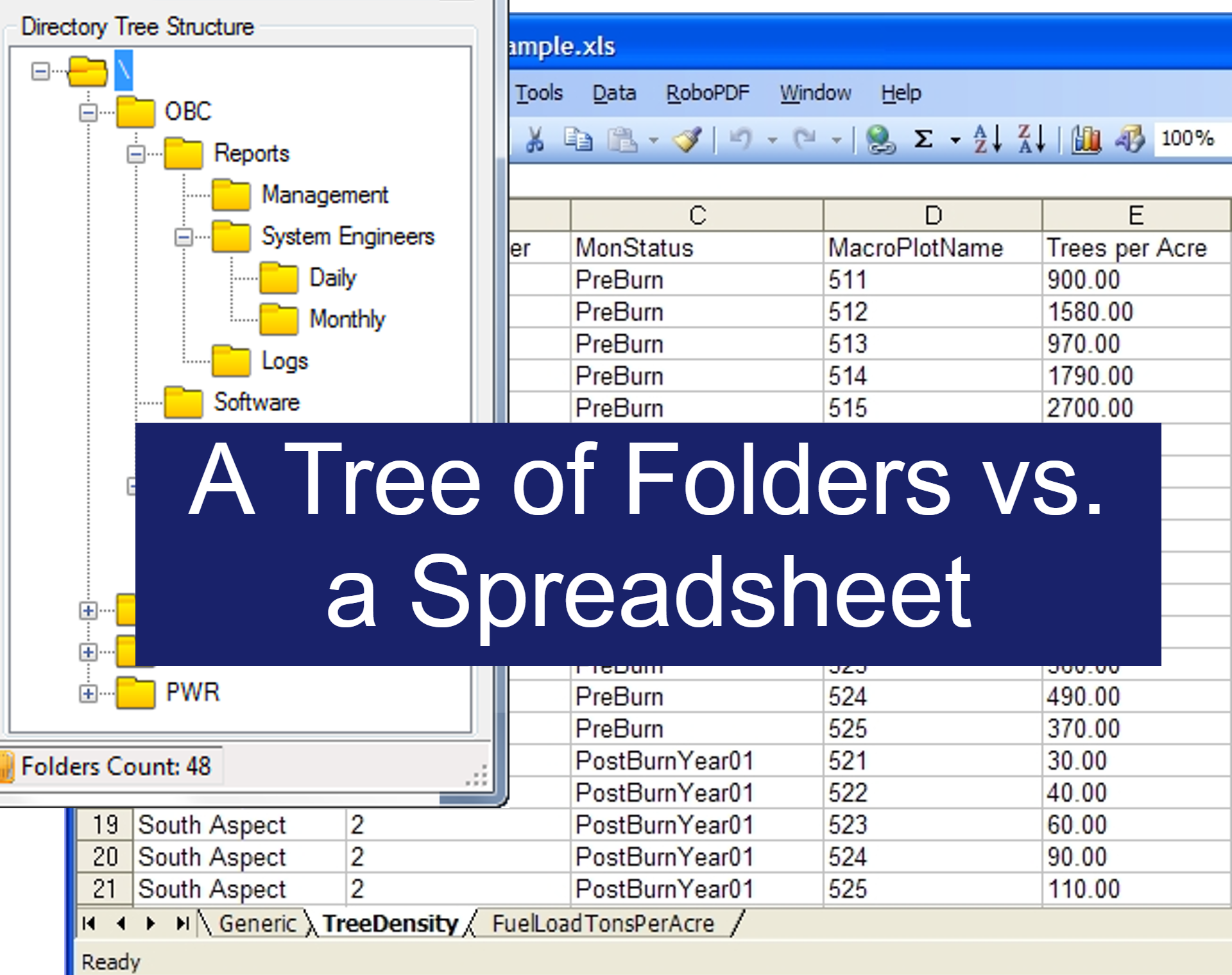
Tree of Folders
If all you have is a tree of folders, meta data can be indicated by the names of various levels of folders. Contracts > 2025 > Western US > California > Manufacturing > Vendors > Metals > ACME Metals Inc > Purchase #32.
Most people are familiar with working with a tree of folders and so they can easily set this up and start saving files in an appropriate folder. A single person may be able to set up the structure that will work best for them.
The first problem is when you have a file that can or should go into multiple folders. Multiple points of meta data apply to it. What do you do? Do you place the file in multiple folders? If you do this and you have to update the file in the future you will have to make the update in all copies of the file.
This approach requires absolute discipline. You must use the exact same naming conventions and levels of folders across all items. A single person might be able to do this. But what happens when you have multiple people working in the tree of folders and others don't have this discipline or don't know the exact naming conventions that should be used? Many teams face this struggle and often chaos ensues.
Spreadsheet
Another way that teams use instead of a tree of folders is to have a spreadsheet that tracks data. Each item has its own row in the spreadsheet. Meta data is tracked in columns of data instead of a folder level with a folder name. Our above example of Contracts > 2025 > Western US > California > Manufacturing > Vendors > Metals > ACME Metals Inc > Purchase #32 would instead be columns with the below values:
| Year | Region | State | Division | Role | Industry | Name | Contract |
| 2025 | Western US | California | Manufacturing | Vendor | Metals | ACME Metals Inc | Purchase #32 |
Now let's say that a column should have multiple values, you could put in multiple values separated by commas like this.
| Year | Region | State | Division | Role | Industry | Name | Contract |
| 2025 | Western US | California | Manufacturing | Vendor | Metals, Lubricants | ACME Metals Inc | Purchase #32 |
Or you could break out the possible values and give them their own columns like this.
| Year | Region | State | Division | Role | Metals | Lubricants | Name | Contract |
| 2025 | Western US | California | Manufacturing | Vendor | ACME Metals Inc | Purchase #32 |
People are familiar with Excel and can easily start a new spreadsheet. This approach allows new columns to be added easily, but you may have to then go to already-added rows and fill in with the proper meta data so all rows are properly tagged with meta data. This approach makes it much easier to work with meta data. Small teams can better use the proper naming conventions for all meta data.
The main problem with this approach is that it is very difficult to attach files to a spreadsheet. Not impossible, but a spreadsheet quickly becomes difficult to work with when there are many files inserted. Plus what if there are multiple files in a contract and we want to maintain a tree of folders?
The best of both approaches
SharePoint blends both these approaches to give you the advantages of both in a document library.
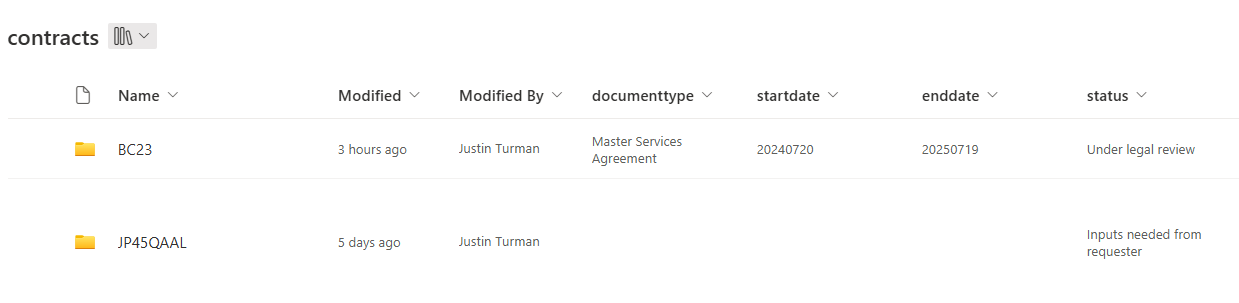
A SharePoint document library
A SharePoint document library creates a tree of folders, but to the right of each folder or file is a spreadsheet-like interface with columns of data. We can thus apply meta-data to the root folder of each item.
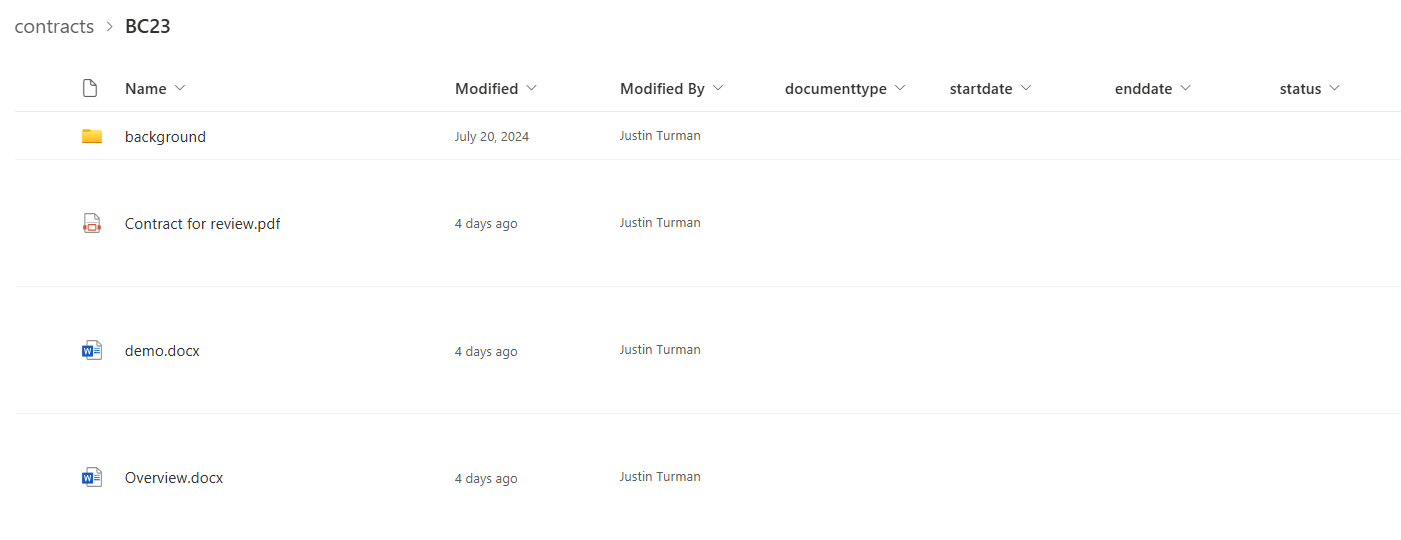
Clicking on an item's folder reveals that you can create a tree of folders and files within. We can apply further meta data to the child folders and files if we wish. Or not and apply meta data only to the root folder.
NOTE: You should create a new root folder for each distinct item. In other words you should put each contract in its own record with its own meta data. For example, you should NOT put two contracts in the same record because each will have its own separate meta data like start and end dates. Even if they have the same meta data to start out with, contracts can be amended in the future and could thus have different meta data in the future so it's best to keep them separate from the beginning. This is a good practice for any kind of spreadsheet, spreadsheets should have 1 to 1 relationships with their contents. Each item should have its own row.
Is it okay to put all my records for everything into a single document library? No. Please don't. You should categorize your records into their own distinct document libraries with appropriate columns of meta data for each. Contracts should go in their own document library. Employee onboarding records should go into their own document library. DO NOT just put these into a general document library called "Documents".
Limits of SharePoint
SharePoint has a couple of limits that you should be aware of so we can best work with it.
1. A document library can hold up to 25 million items. An item is a folder or file. If you are going to generate a lot of items, you might consider splitting your data by year or something similar. You could have a different document library for each year.
2. SharePoint creates a tree of folders and each folder can hold a maximum of 5,000 items. This limit applies equally to the root folder. A way that I get around this is by creating a folder in my root folder called "Folders". I then create a subfolder called "1". My system when creating a new item looks for the highest numbered subfolder and it sees how many items are in it. If there are less than 5,000 items in the "1" folder it creates my item there. If there are already 5,000 items in the "1" folder it creates the next subfolder "2" and creates my item there. "Folders" can hold up to 5,000 subfolders and each subfolder can hold up to 5,000 items. 5,000 x 5,000 = 25 million.
3. A single SharePoint has a maximum of 30 million items. If you need more space, you might consider just creating a new SharePoint to hold the data. Or create a retention plan and delete data when it is old and no longer useful.
Retention
You may also wish to think about retention. How long do you need to keep data? You may have legal requirements so keep those in mind. How long is it valuable to keep an expired contract? Perhaps 10 years after expiration? SharePoint can have automations associated with it. So perhaps you have a meta data column for expiration. Or you could already calculate and have a column for deletion that is the expiration date plus ten years. The automation would then look each day for items with deletion dates equal to or before today's date and either delete immediately or flag for an admin to review and delete.
To delete or hide?
Data can be very valuable, especially when looking for trends over time. Let's say you are tracking litigation and you want to "remove" litigation items that are closed. You could delete all data immediately. Or you could create a meta data column called "hidden" and set it to TRUE for cases that are closed. This would allow you to filter and show hidden cases for when you want to do trend analysis. I recommend that you not delete items by default, but to flag them to be hidden instead.
Saving work product and background files
At a minimum you want to put the work product into the repository. You may want to store both a .DOCX file and the signed PDF. But what about all the background information, emails, charts, notes? You need to make it very clear and keep them separate. Finished files I would put either in the root directory of the item or create a folder called "Finished". Background files should in either case be put into a folder called "Background". Within the Background folder you could create an entire tree of folders for emails, charts, and notes.
Getting data into the repository
What is your plan for getting data into the repository? Who will do it and when? At what stage?
At the latest, all files and metadata should be put into the repository at the very end. But what if your organization doesn't have discipline? What if sales gets signed contracts and doesn't want to put all the signed contracts into the repository like legal wants?
The simplest method that requires one extra step with no technology
Here is a simple old-school solution that doesn't require technology. Hire a contracts manager. Then require sales to email every single signed contract to this one person. Then you train this one person to tag all contracts appropriately in the repository. If I were this person I would absolutely not want to read through every single contract to extract the meta data from it. What can we do instead? Attach a cover letter to every contract that specifies the meta data of every contract. The contract manager then simply reads the cover letter to tag the contracts.
Okay, so now we pushed back the cover letter with meta data tags to sales for them to fill out. Can we trust that sales has been trained properly and will be motivated to extract the meta data appropriately? If I were sales, I would be comfortable with the meta data related to my business terms. But legal terms? They are confusing and legal should be managing these. Especially since in negotiations sales depends on legal to manage legal terms. So we can push these portions to legal when legal is working in negotiations. When a lawyer makes a change in the contract, they should update the cover sheet meta data.
How do we generate this cover sheet and fill it in initially? The intake step. A lot of the data we need when generating a contract is actually meta data that needs to go onto the cover sheet. And we need these exact points to generate the contract. So why not do both steps at the same time?
Ideally, the business requester should have a request intake form where they fill in the exact data points we need to generate the contract. Type of contract, legal entity, details of the other party, start date, end date. They submit the form and a contract is created and the meta data is tracked immediately. No need to extract it at a later time. Minor tweaks are then created as things change during negotiations.
What I have just described, the best situation for you depends on your organization. No matter when the meta data is extracted and put into the repository, it is absolutely crucial that you do it at the end at the latest. It's up to you to decide if you want to manage the meta data at earlier steps.
What meta data should we capture?
There is a balance between usefulness and complexity.
Let's say you only have one data point of meta data. Yes, it's simple and easy for users to track this one data point. But it's also not very useful.
On the other extreme, let's say you require users to track 1,000 data points. It could be extremely useful. You could do all kinds of filters and queries to create all kinds of charts and spot trends. But your users are also not going to like the process. They might start refusing to cooperate.
So I would suggest you find a happy medium. Perhaps start out with the most useful 10 data points that are common to all contracts. Perhaps you even identify extra data points that are useful for certain kinds of contracts. Like a distribution agreement might have extra fields like "Territory", "Product list", "Minimum quota". The key is to keep it simple enough and yet useful enough.
Notes about AI and data extraction
Can't we simply have AI mine all the data points for us? You might want to try this on historical data. It's mostly not needed if you use my suggestions for an intake system. Extraction after the fact is not that useful if you already have the data points during generation.
Another thing about AI, it can only get things that match patterns and are fairly obvious. Human language is messy. This is why the common answer from lawyers is "it depends". Things aren't always so clear and need human judgement.
One example is if a contract has a country whose law governs the contract. You might have a data point for this. But what if it's absent from the contract? Just accidentally missed? Or what if it says something like "Soviet Union" and it just doesn't exist anymore?
Another example is the granularity of the meta data you are trying to capture. Let's say you have a data point called "Exclusivity" and it can be set to TRUE or FALSE. Exclusivity is not just a blanket thing. People in a contractual relationship can have different kinds of exclusivity. Exclusivity can be "Mutual" or "One-way" (also called "unilateral"). When exclusivity is One-way, who owes exclusivity to whom? None of this is not a simple TRUE/FALSE. So beware of these issues.
All this is to say that yes AI can be very useful, but it also has it's limits. Be aware of it's limits and try to use it appropriately.
At a minimum there are some data points that AI will never be able to extract from a document. Data points that are not in the document. Like who in the business owns the contract. Or who in legal worked on the contract. These are very important data points which you should be tracking and not depend on AI to glean for you.
Updating records
Things change. Perhaps your contracts get amended. You should have a process for when amendments are signed, if the amendment changes a data point in the parent contract, the meta data of the parent contract should be updated. Whether you do this is in a manual way or an automated way. But keep in mind, that amendments do not update the parent agreement simply when the amendment is created. You have to wait until the amendment is signed.
You might run an automation that is triggered when the amendment is fully signed in an e-signature platform. Even in the case of a human going and manually updating the meta data of the parent agreement you might want this to be on the cover sheet for the amendment. Have a field for which parent agreement the amendment is modifying. And have a table for the meta data fields that will need to be updated and the values they should be once fully signed.
Bringing it all together
Having the right repository is crucial. There are many issues to consider, but now you are empowered to create your repository with intention. Next I will show you the ideal repository that I created that is accessible in both Outlook and SharePoint.